SCENEQUENCER:
A PLAYLIST FOR YOUR SCENES.
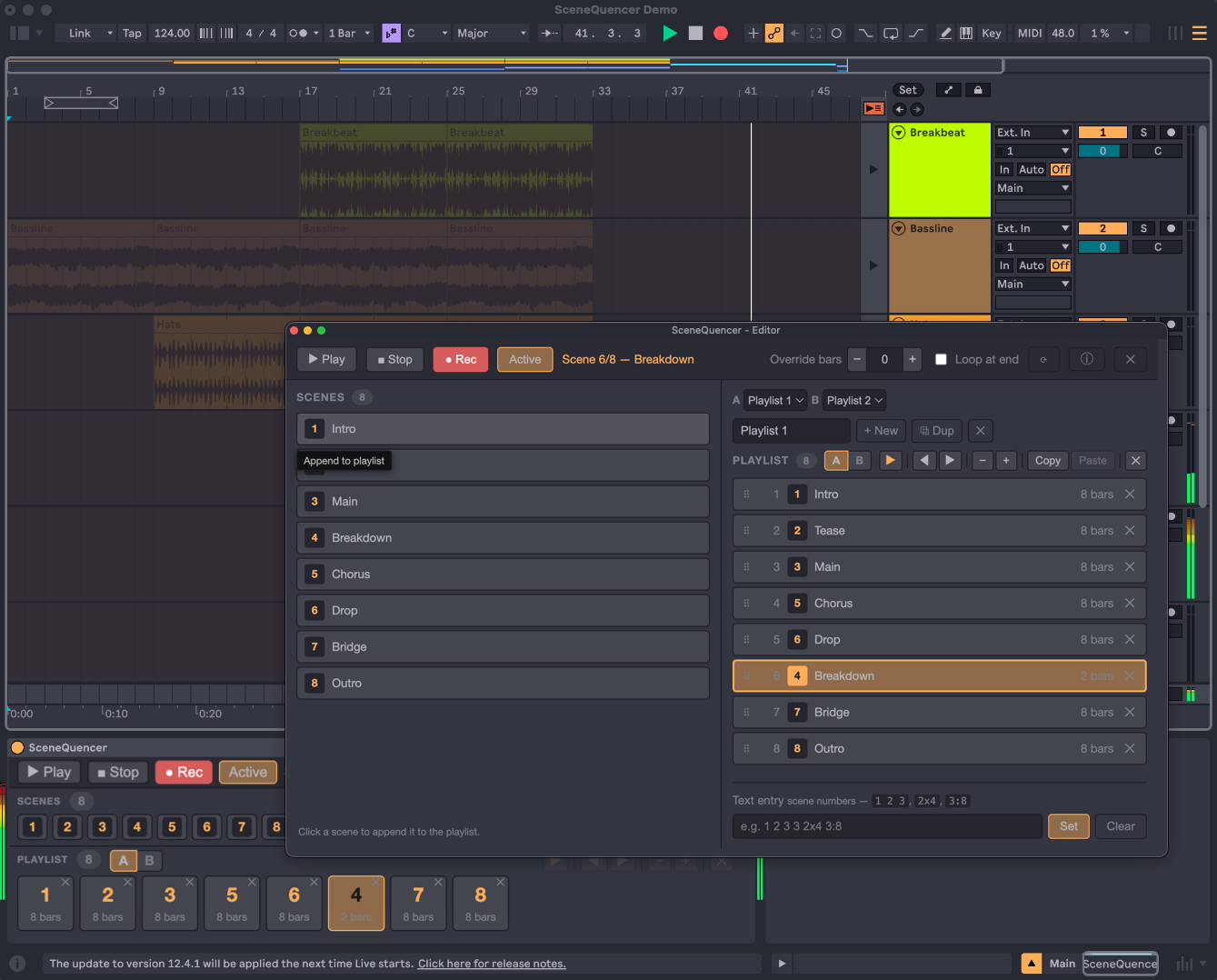
Pick the order. Set how long each scene plays. Hit record and the whole thing prints to the Arrangement in one pass — no clicking through scenes by hand, no sticky notes.
See it in action.
Audio kicks in about 30 seconds in, when the playlist gets recorded to the Arrangement.
What it does.
A real playlist for your scenes
Reorder scenes, repeat them, reuse the same scene at multiple positions — each with its own length. Live's native Follow Actions only allow one successor per scene; this is the real version.
Type out your playlist
Type a sequence like 1 2 3x2 5:8 to build a playlist in seconds. 3x2 plays scene 3 twice. 5:8 plays scene 5 for 8 bars.
One-Click Arrangement
Hit record. Ableton jumps to Arrangement view and prints your playlist — every scene at the right length, in the right order. Tracks stay unarmed, so no inputs or mics get captured by mistake.
Responsive UI
A/B Playlists
From Session
to Arrangement.
Compact strip when it lives in the device chain. Pop-out editor when you want room to think. Scene renames, adds, and deletes show up live — nothing to refresh.
Ready to
SceneQuence?
$19, paid once.
Requires Ableton Live 12+ with Max for Live.
Drops into your Main track.